The My Disney Experience app is a key piece of a great Disney trip! This app houses so much of what you need to know for your trip. Check out this list of many of the helpful things you can find using MDE!
Park hours – Wondering what time you can start your magical day or how late you can stay at the parks? On the home page of the MDE app, you will be able to find park hours. If you click on this section of the page, you will also be able to see the times for early entry or extended park hours available to deluxe resort guests.
Wait times – Wait times are probably the most popular use for the MDE app. By going to the map and filtering to wait times, you can see the approximate wait time for that ride you’ve been dying to get on. You can filter this page to the park you are in that day and then look at wait times either on the map or in a list view. I recommend the list view because it will show the wait times from shortest to longest.
Dining – Another main things you will use MDE for is dining. How you ask? First, MDE is where you can look for and book dining reservations. Second, you can use MDE to review menus and mobile order your food from counter service locations. This is a great way to see if a restaurant is the right fit for your crew and save time with using mobile order. The mobile order feature allows you to review the menu, make selections and choose the time you want to pick up your food. When your time slot opens, all you have to do is tell the app you’re there, the cast members will prepare your food and you just go to your designated window to pick it up.
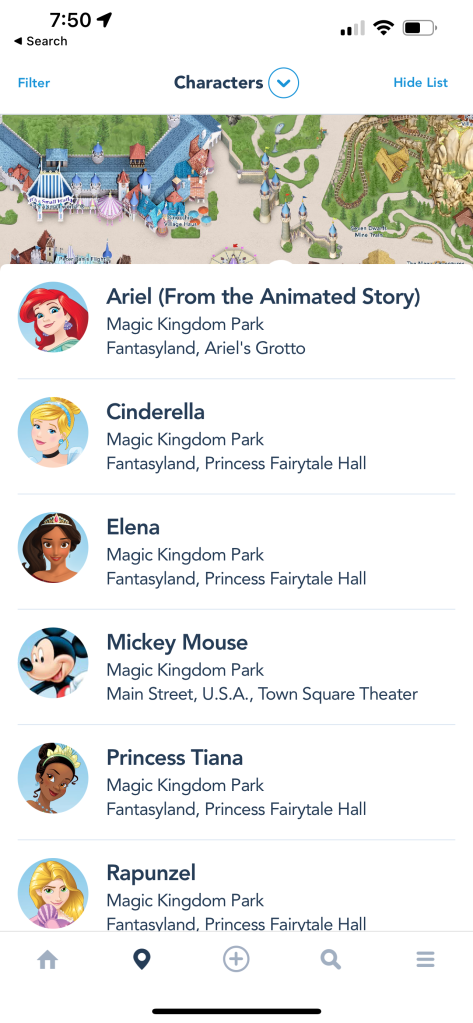
Characters – Want to make sure your little princess gets to meet her favorite princess? Using the My Disney Experience app, you can check to see what characters are available in each park. If you go to the map portion of MDE, you can filter at the top of the screen to characters and it will show you a list of all of the characters available in that park. Also, if you go to the wait time list you can check to see how long you will have to wait to meet those favorite characters. If you have purchased Genie plus, your could also book a Lightning Lane to meet that favorite character.
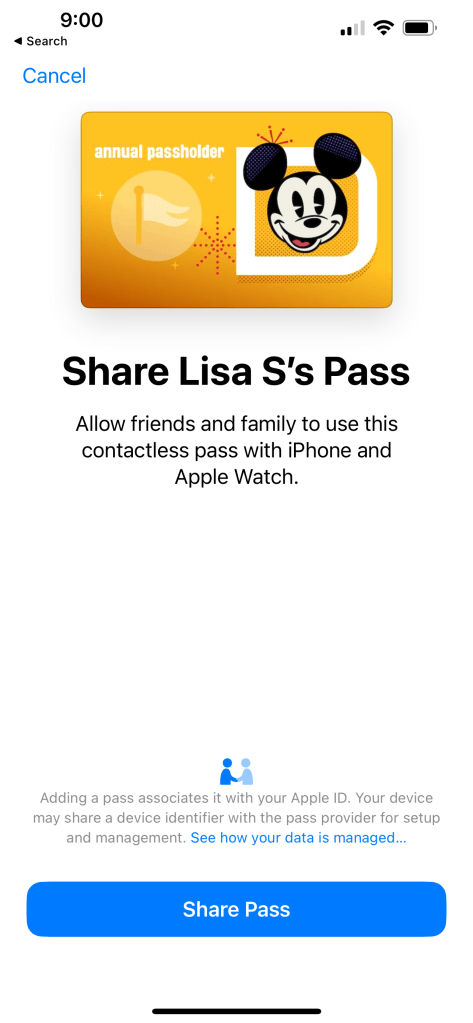
Tickets – Once you’ve purchased your tickets they will be visible in your MDE app. To find your tickets, go to the hamburger (menu) icon. There you will find 2 categories that will be helpful for tickets. The first is tickets and passes. From this section, you will be able to see all of the tickets for your party and have them scanned. The second section that will be helpful is Disney Magic Mobile. In Disney Magic Mobile you will be able to see or create a card for each member of your party. Once they have a card, you can add this to your Apple wallet or share the card to that member of your crew. If members of your crew have Apple watches, you can share their card with them via text message and it can then be added to their watch. This feature comes in very handy if you are trying to navigate Disney without a Magic Band. Curious about if you need a Magic Band? Check out this article on if a Magic Band is needed.
Lightning Lanes – If you have purchased Genie Plus, and will be using Lightning Lanes to save time in your Disney day, all of this will need to be done through the app. In the MDE app, you will be able to see what Lightning Lanes are available, make your selections, modify them and see when your next booking window starts.
Bathrooms – Have a little one that needs frequent or urgent bathroom stops? Have no fear you can find your closest bathroom by going to the map and filtering by bathrooms. Once you’ve found this page, click on the restroom icon, select get directions and the app will help you navigate your way right to the bathroom.
Parades/shows – If you want to make sure that your little one gets to see their favorite characters ride down Main St. or dance on the castle stage, you can can also find those times in the app. For this, you will filter the map to entertainment. This screen will show you all of the entertainment available in that park for the day, it will give you directions and also allow you to add the activity to your day so that you will see it on your Genie schedule.
Mobile checkout – If you are looking for more ways to save time in your Disney day, mobile order and mobile checkout can definitely help. Mobile checkout allows you to pay for merchandise you find in gift shops. Not all shops will offer this but you will see signs in those that do. To find mobile checkout in the app, you will open the hamburger menu and select Merchandise Mobile checkout. Then you will be able to scan and pay for your items. After completing your purchase, you will show your phone to the cast member at the door and they will give you a bag and ok for you to leave the store.
As you can see, the MDE app will truly be your best friend during your Disney vacation. Disney has done a tremendous job of putting all of the information you need right there at your finger tips. Just remember using your phone for all of these things can drain your battery. Because of this, I always recommend throwing a portable charger in your park bag. I strongly recommend downloading the app before your trip, setting up your account and then doing some exploring. Wondering about a specific feature in the app that I haven’t mentioned? Shoot me a comment below and I’d be glad to share more info on specific features.

 mousinwithmama.com
It is crazy how far the tech has come! It does keep you tied to your phone but the benefits are worth it.
LikeLike